HomeBitrix ProductsBitrix24: Contact Center

Latest information from the official site

Bitrix24: Contact Center

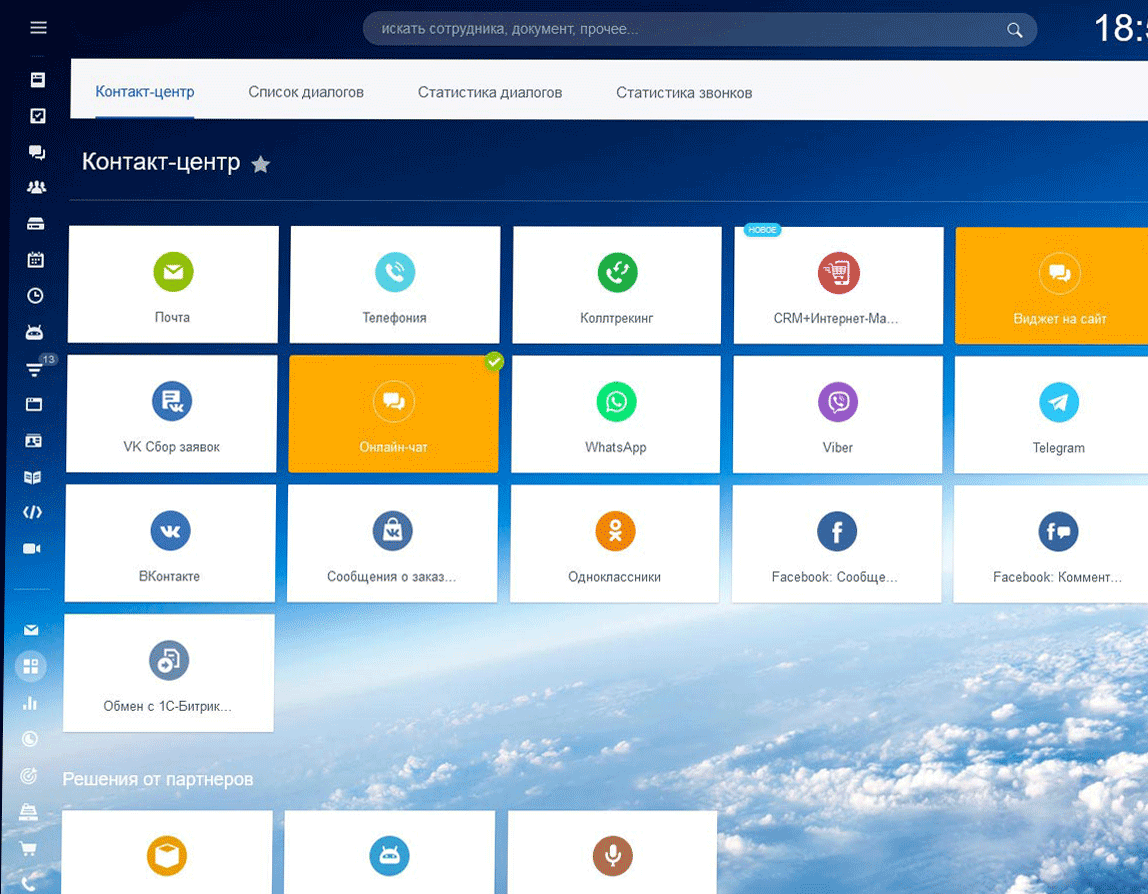
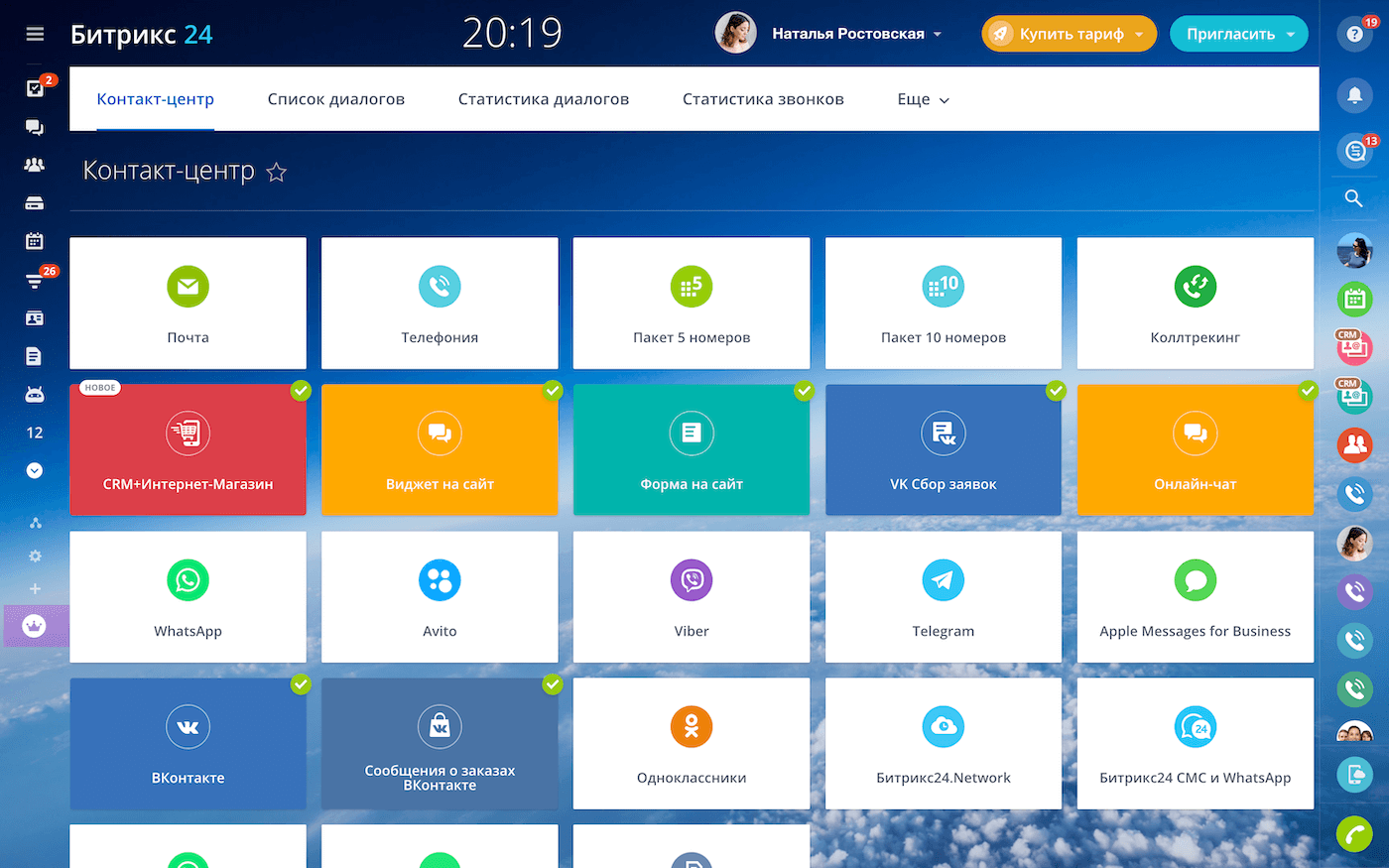
One entry point for requests from websites, telephony, messengers, social media, and other customer communication channels.

Bitrix24: Contact Center

Bitrix24: Contact Center

The official bitrix24.uz page presents the Contact Center as a hub where communications from different channels are consolidated in one window. It is especially valuable for businesses that want fast response times and no lost requests between chat, telephony, and the website.

This page is assembled from official product pages and refreshed after Cloud Soft review.

Full description

According to the official materials, the product covers these working blocks: Collection of messages from multiple channels in one interface. Linking communications to CRM and the client card. Control over response time and team workload. Works in the Bitrix24 cloud and scales with the selected plan.
For Tashkent and Uzbekistan

For projects in Tashkent and across Uzbekistan, this solution is especially useful in these scenarios: Combining website, telephony, and messengers into one operator queue. Improving support quality and response speed. Keeping full visibility of customer communication inside CRM. Best fit: Companies with high inquiry volume, service desks, sales teams, and customer support units.

This page is assembled from official product pages and refreshed after Cloud Soft review. Cloud Soft supports the project through these stages: License and delivery format selection; Implementation, data migration, and role setup; Team training and post-launch support.

Expandable product functions

Below are the main functional blocks of the product in an expandable format so visitors can quickly understand which business tasks are automated in practice.

Collection of messages from multiple channels in one interface

Typical scenario: Combining website, telephony, and messengers into one operator queue. Cloud Soft configures this functional block inside the project and helps connect it to real company workflows.

Bitrix24: Contact Center — Collection of messages from multiple channels in one interface
Linking communications to CRM and the client card

Typical scenario: Improving support quality and response speed. Cloud Soft configures this functional block inside the project and helps connect it to real company workflows.

Bitrix24: Contact Center — Linking communications to CRM and the client card
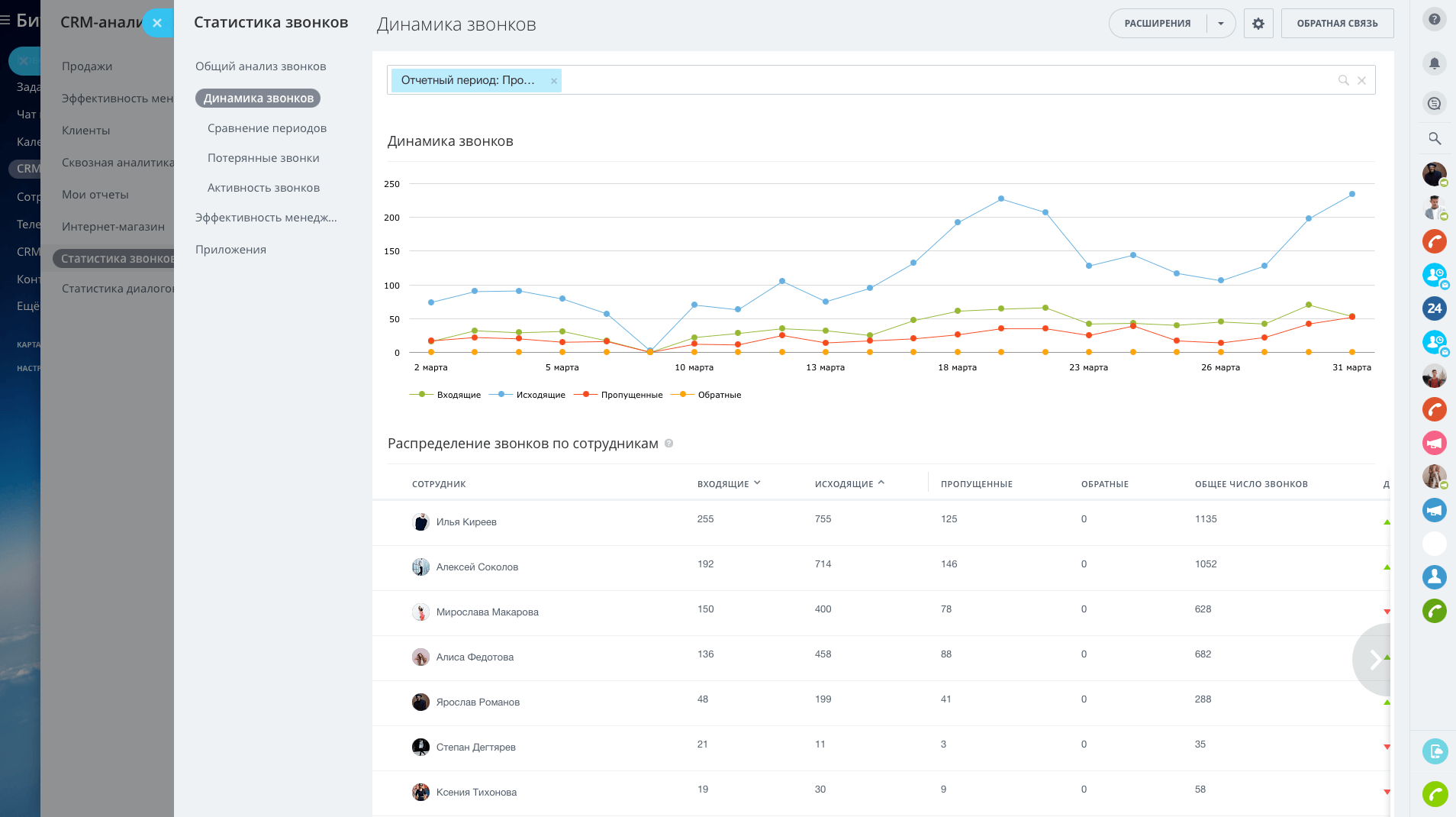
Control over response time and team workload

Typical scenario: Keeping full visibility of customer communication inside CRM. Cloud Soft configures this functional block inside the project and helps connect it to real company workflows.

Bitrix24: Contact Center — Control over response time and team workload
Works in the Bitrix24 cloud and scales with the selected plan

Typical scenario: Combining website, telephony, and messengers into one operator queue. Cloud Soft configures this functional block inside the project and helps connect it to real company workflows.

Bitrix24: Contact Center — Works in the Bitrix24 cloud and scales with the selected plan

Where this product is most useful

  • Combining website, telephony, and messengers into one operator queue.
  • Improving support quality and response speed.
  • Keeping full visibility of customer communication inside CRM.

Best for

Companies with high inquiry volume, service desks, sales teams, and customer support units.

How Cloud Soft supports the project

  • License and delivery format selection
  • Implementation, data migration, and role setup
  • Team training and post-launch support

Pricing and delivery

  • The Contact Center is delivered inside the Bitrix24 cloud ecosystem.
  • Plan selection depends on team size, CRM depth, and automation level.

Frequently asked questions

What type of companies in Tashkent use Bitrix24: Contact Center?

This solution is a good fit for: Companies with high inquiry volume, service desks, sales teams, and customer support units. Cloud Soft implements and supports these projects in Tashkent and across Uzbekistan.

What processes does Bitrix24: Contact Center automate?

Collection of messages from multiple channels in one interface. Linking communications to CRM and the client card. Control over response time and team workload. Works in the Bitrix24 cloud and scales with the selected plan.
Can Bitrix24: Contact Center be implemented with data migration and team training?

Yes. Cloud Soft supports the project through these stages: License and delivery format selection; Implementation, data migration, and role setup; Team training and post-launch support.

How is Bitrix24: Contact Center delivered?

The Contact Center is delivered inside the Bitrix24 cloud ecosystem. Plan selection depends on team size, CRM depth, and automation level.

Bitrix24: Contact Center

One entry point for requests from websites, telephony, messengers, social media, and other customer communication channels.